
Your Productivity OS
One system. Everything connected.
Tasks, notes, habits, and schedule — finally unified.
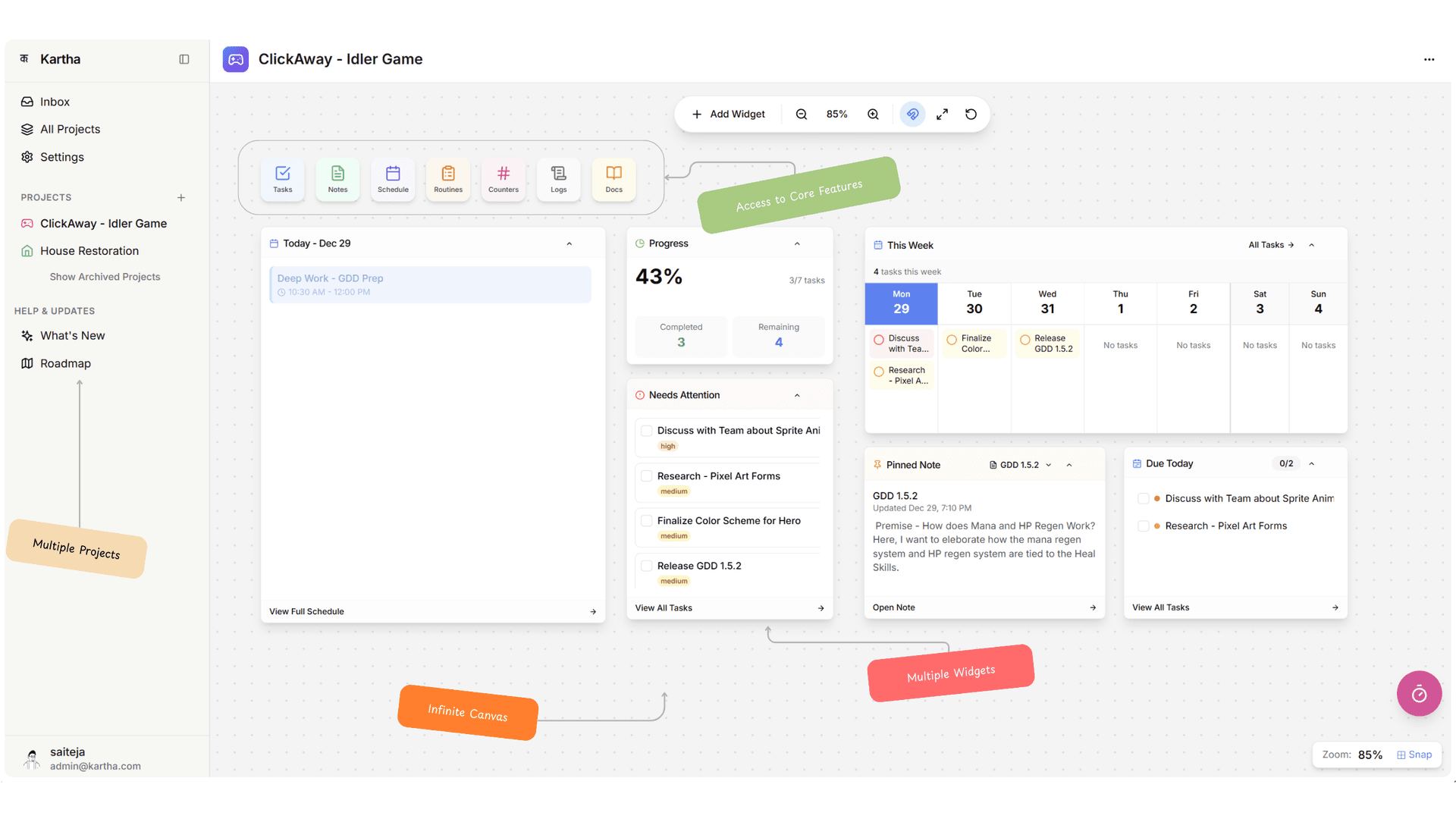
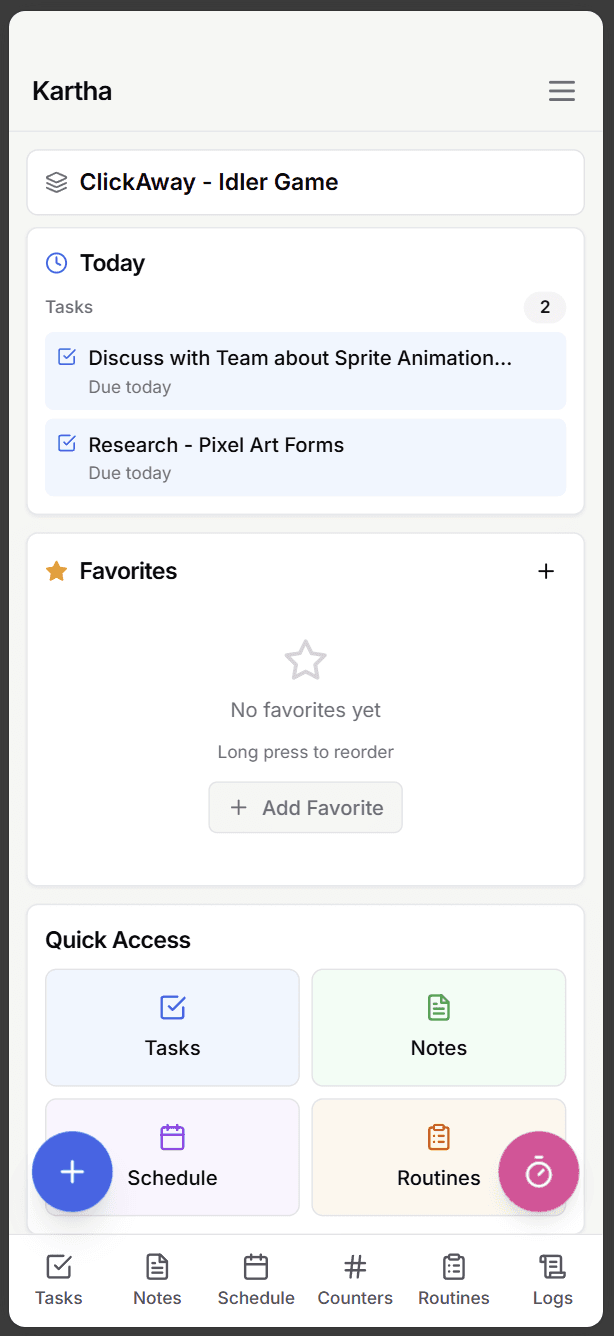
Kartha is an all-in-one indie productivity app that unifies tasks, calendar, notes, routines, and habit tracking in one connected system.
Everything you need to get things done
Powerful tools, seamlessly integrated. Reduce context switching and stay in flow.
Tasks
Not just a checklist. View tasks in a list or on boards organized by Priority, Energy, or Eisenhower Matrix. Focus Now mode limits you to 3 tasks — because that's all you can truly commit to in a day. Overdue tasks turn red and surface in the Attention Needed widget.
Schedule
See your day as blocks, not lists. Events for fixed commitments, Timeblocks for dedicated focus time, and Threads for long-running projects with hour-based goals. Link tasks and notes to a timeblock so you know exactly what to work on.
Notes
A rich text editor that stays out of your way. Type / for slash commands — headings, lists, code blocks. Zen Mode goes full-screen. Link notes to other notes or tasks using [[Note Title]] syntax. Your notes aren't isolated — they're connected.
Routines
Step-by-step workflows with built-in timers. The Routine Player guides you with audio announcements at key thresholds. When a routine completes, it can auto-increment a counter, mark a habit done, or create a log entry.
Counters & Habits
Track anything with a number, or build streaks with daily habits. Counters handle glasses of water, books read, kilometers — with configurable units and targets. Habits show a calendar grid with automatic streak tracking.
Projects
The top-level organizer. Every task, note, event, routine, counter, and document lives inside a project. Each project gets its own dashboard, color theme, and feature toggles — enable only what you need.
How people use Kartha
See how Kartha fits into different workflows and lifestyles.
A day in the life of Priya, the Student
Priya wakes up and checks her Dashboard — two assignments due this week, a group project meeting at 2pm. She runs her Morning Routine: Gratitude Journal, Mindfulness Meditation, Reading. The built-in timer keeps her on track.
Between classes, she opens her Notes to jot down lecture points with slash commands. Her Timeblocks show a 2-hour study session blocked for the library. The linked tasks remind her exactly what to work on.
Before bed, she checks off her Habits — "Read 20 pages" ✓, "No social media after 9pm" ✓. Her streak hits 14 days. Tomorrow's timeblocks are already set.
Features used:
Frequently asked questions
Everything you need to know about Kartha.
Want to know more?
Ready to get things done?
Join Kartha and start building your productivity system today. Start with a free trial.
Start Free Trial